Create/Edit Batch (Team Learning)
This journey walks through the GrowthKit batch editor: opening a batch from a program configuration, adjusting batch settings and the program schedule, configuring surveys when enabled, coordinating coach dates, sharing the overview, managing participants, and publishing or unpublishing.
Personas: Team Learning (primary), Team Sales (draft and configuration where allowed).
Interactive flow
Select any step to see details, linked features, and processes.
🧭Team Learning Journey
Create / Edit Batch
Team Learning and Team Sales configure a learning group (batch) in GrowthKit: program-derived fields, schedule, surveys, coach dates, and publishing.
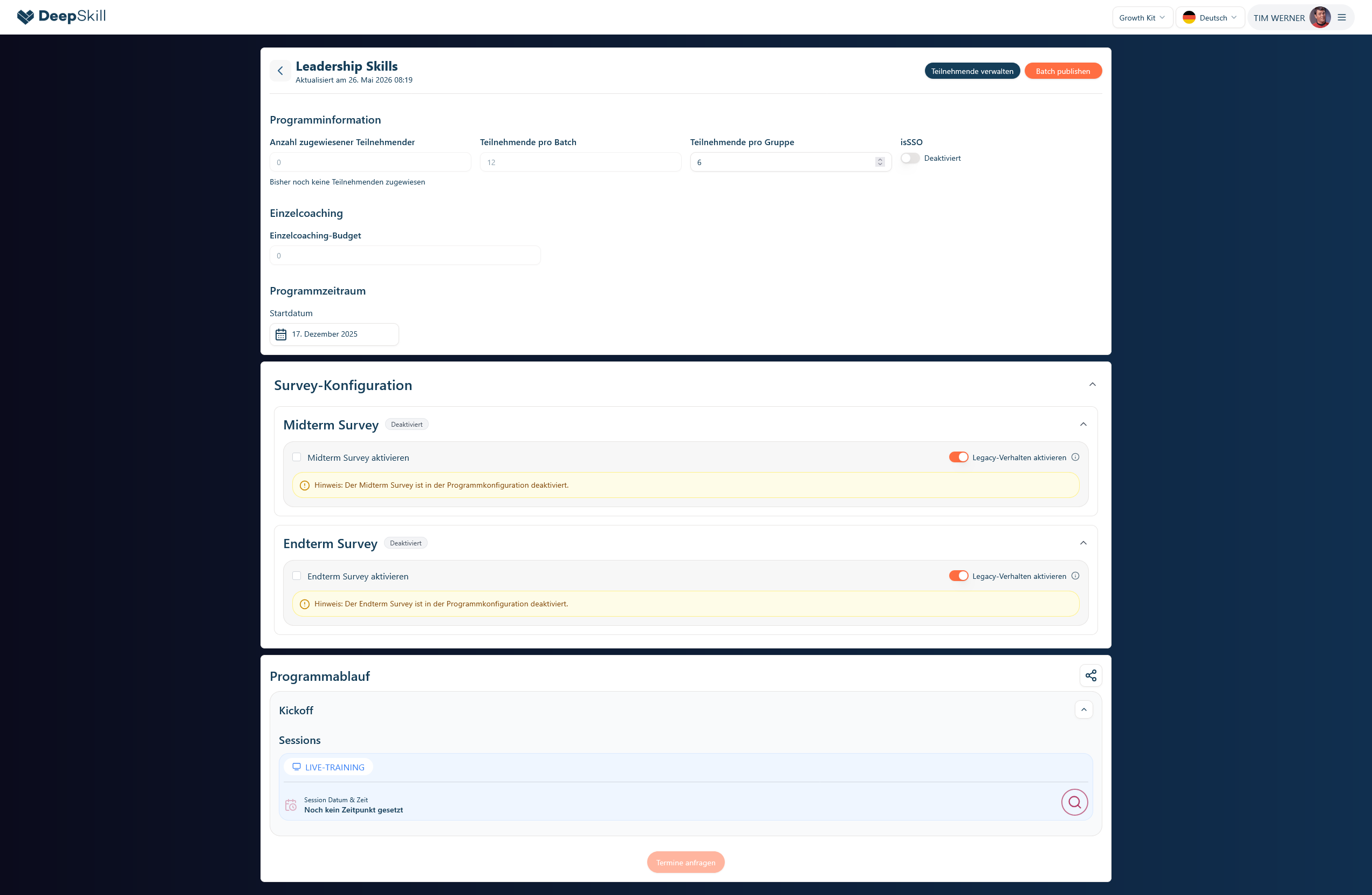
Batch editor workspace — replace this placeholder with a current app screenshot (overview.png).
Move cursor over image to magnify📂Preparation
Open the batch editorTeam Learning / Team Sales
⚡🔄
Access and route guard checksSystem
⚡
Load configuration and batch contextSystem
⚡🔌
Review title, status, and program informationTeam Learning / Team Sales
⚡
⚙️Batch settings
Set participants per group and SSOTeam Learning / Team Sales
⚡🔄
Set the batch start dateTeam Learning / Team Sales
⚡🔄
Determine draft save pathTeam Learning / Team Sales
⚡
Save draft directlyTeam Learning / Team Sales
⚡🔄🔌
Choose HubSpot draft optionTeam Learning / Team Sales
⚡
Save draft: add to configuration dealTeam Learning / Team Sales
⚡🔌
Save draft: create new dealTeam Learning / Team Sales
⚡🔌
Evaluate persisted-batch capabilitiesSystem
⚡
📅Schedule & surveys
Adjust kickoff and module session datesTeam Learning / Team Sales
⚡🔌
Evaluate survey visibilitySystem
⚡
Configure midterm and endterm surveys (batch)Team Learning / Team Sales
⚡🔌
Check request dates eligibilitySystem
⚡
Request coach appointment datesTeam Learning / Team Sales
⚡🔌
Share the session overview linkTeam Learning / Team Sales
⚡
Manage participants (Team Learning)Team Learning
⚡
🚀Publishing
Check publish eligibilitySystem
⚡🔄
Publish the batchTeam Learning
⚡🔄🔌
Observe published lock stateSystem
⚡🔄
Unpublish (optional)Team Learning
⚡🔄🔌
Legend:
User Action
Decision Point
System Action
Notification
Milestone
Journey summary
| Attribute | Value |
|---|---|
| Actors | Team Learning, Team Sales, System (autosave, APIs) |
| Entry point | Batch route under a program configuration in GrowthKit |
| Exit points | Batch published; or batch left in draft/unpublished state after edits |
| Steps | 12 |
Related documentation
- Create/Edit Batch — feature reference
- Batches overview
- Team Learning journeys hub
- Program configuration confirmation
- Publish batch
- Batch UI locking
- Setup batch (how-to)
Placeholders
| Topic | Status |
|---|---|
| Dedicated process hub | Program configuration & batches — Additional YAML processes (draft save, survey autosave, unpublish as first-class manifests): PLACEHOLDER — planned. |