Coach Appointment Date Requests
This feature documents how Team Learning/Team Sales request coaching session dates for a batch: selecting coaches per session, setting date/time windows, and submitting all planned requests to coaches.
Where this feature is used
- Entry point in batch editor: Create/Edit Batch
- Journey step: Create/Edit Batch (Team Learning journey)
Flow preview
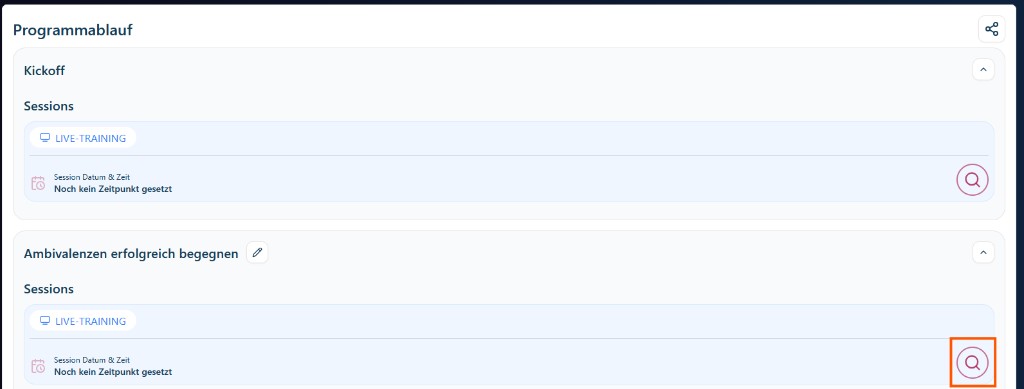
Preconditions and eligibility
The request action is enabled only when at least one coach appointment is in planned status on the batch.
- In UI: the Request dates button is disabled when there are no
plannedcoach appointments. - Source:
platform/pages/growthkit/configurations/[configurationId]/batches/[batchId].tsx(coachAppointments.filter((ca) => ca.status === 'planned')).
Step 1: Select a coach for a session
Click the search icon on a session to open the coach date modal, then select a coach.
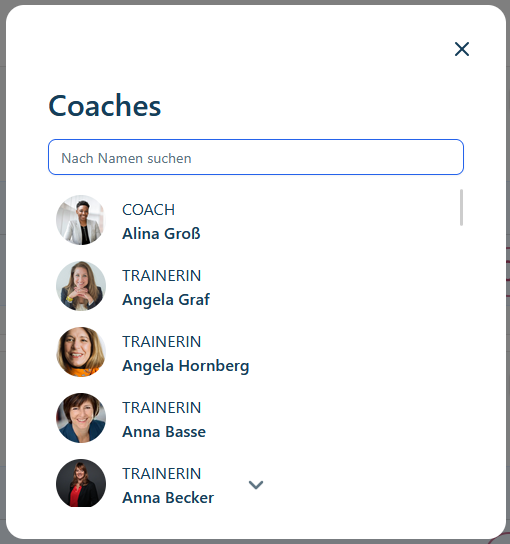
What happens in this step:
- Coach list is searchable by name in the modal (
GrowthKitCoachDateModal). - Selection updates the currently edited session appointment context.
- Optionally, users can set:
- Skip coach confirmation (stores as fixed/approved directly),
- group for peer-practice sessions,
- location fields for on-site sessions.
Step 2: Set date and time after coach selection
After choosing a coach, set date/time for the appointment.
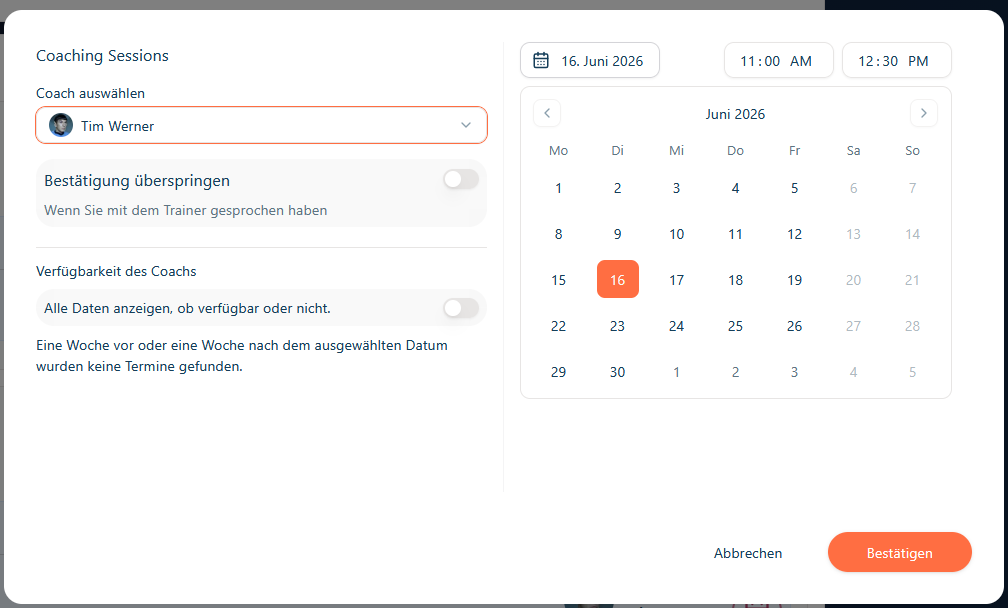
What happens on confirm:
- If appointment already exists, it is updated (
PUT /coach-appointments/:id). - If not, it is created (
POST /coach-appointments). - Status is saved as:
approvedwhen fixed/skip-confirmation is enabled (or batch is already started/published),- otherwise
planned.
- Source:
platform/src/components/modals/GrowthKitCoachDateModal.tsx.
Step 3: Request appointments (bulk submit)
Once all requests are prepared, click Termine anfragen / Request dates.
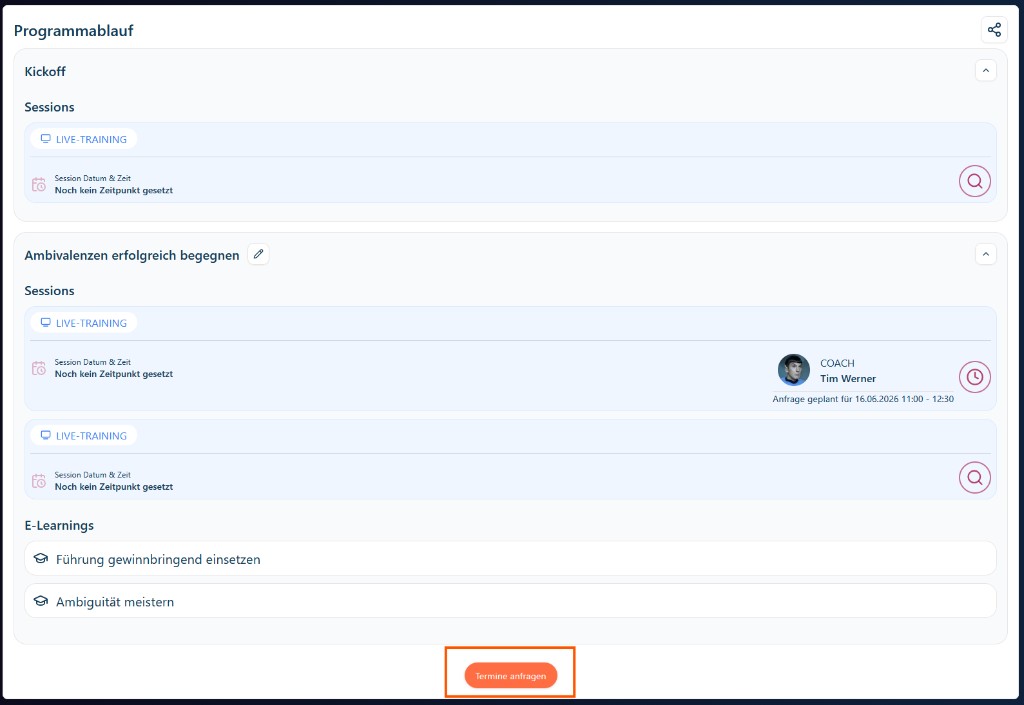
Request modal behavior (GrowthKitRequestDatesModal):
- Lists all planned requests for the current configuration (session, module, coach, date/time).
- On submit, each listed appointment transitions from
plannedtopendingvia update calls. - Source:
platform/src/components/modals/GrowthKitRequestDatesModal.tsx.
Backend behavior after submit
When frontend sets appointment status to pending, Strapi lifecycle hooks trigger notification flow:
afterUpdateincoach-appointmentlifecycle handlespendinglike "new request" and callsonStatusNoStatus.onStatusNoStatussends request email to the assigned coach viasendCoachAppointmentRequestToCoach.- If email succeeds, backend updates appointment status to
notifiedand setslatestNotificationDate.
Sources:
- Lifecycle:
strapi-docker/src/api/coach-appointment/content-types/coach-appointment/lifecycles.js - Mail send/status updates:
strapi-docker/src/api/coach-appointment/services/coach-appointment.js
What happens when coaches answer
- Approve (
approved):- backend syncs approved appointment date/time back into the corresponding program session or kickoff session,
- and sends an approved notification to Team Learning.
- Decline (
declined):- backend sends declined notification to Team Learning.
Additionally, reminder jobs can escalate unresponsive requests from notified -> reminded-1 -> reminded-2 -> ignored, with reminders to coach and notification updates to Team Learning.